
Je huiswerk, maar dan magisch. Your homework, but make it magic.
Learnling zet je huiswerk en toetsen van twee weken op één plek. Met een maatje dat je helpt onthouden wat er moet gebeuren en juicht als je iets afvinkt. In het thema dat jij leuk vindt: een toverboek, een moestuin, een duik in de oceaan en meer. Learnling puts two weeks of homework and tests in one place. With a buddy who helps you remember what needs doing and cheers when you tick something off. In the theme you like: a spellbook, a vegetable garden, an ocean dive and more.
Voor Windows 10 en 11 · geen account nodig For Windows 10 and 11 · no account needed
Learnling werkt op een Windows-laptop of -pc. Open deze pagina daar om hem te downloaden. Learnling runs on a Windows laptop or PC. Open this page there to download it.
Tik op een maatje! Tap a buddy!
Wat kan Learnling? What does Learnling do?
-
Twee weken op één plekTwo weeks in one place
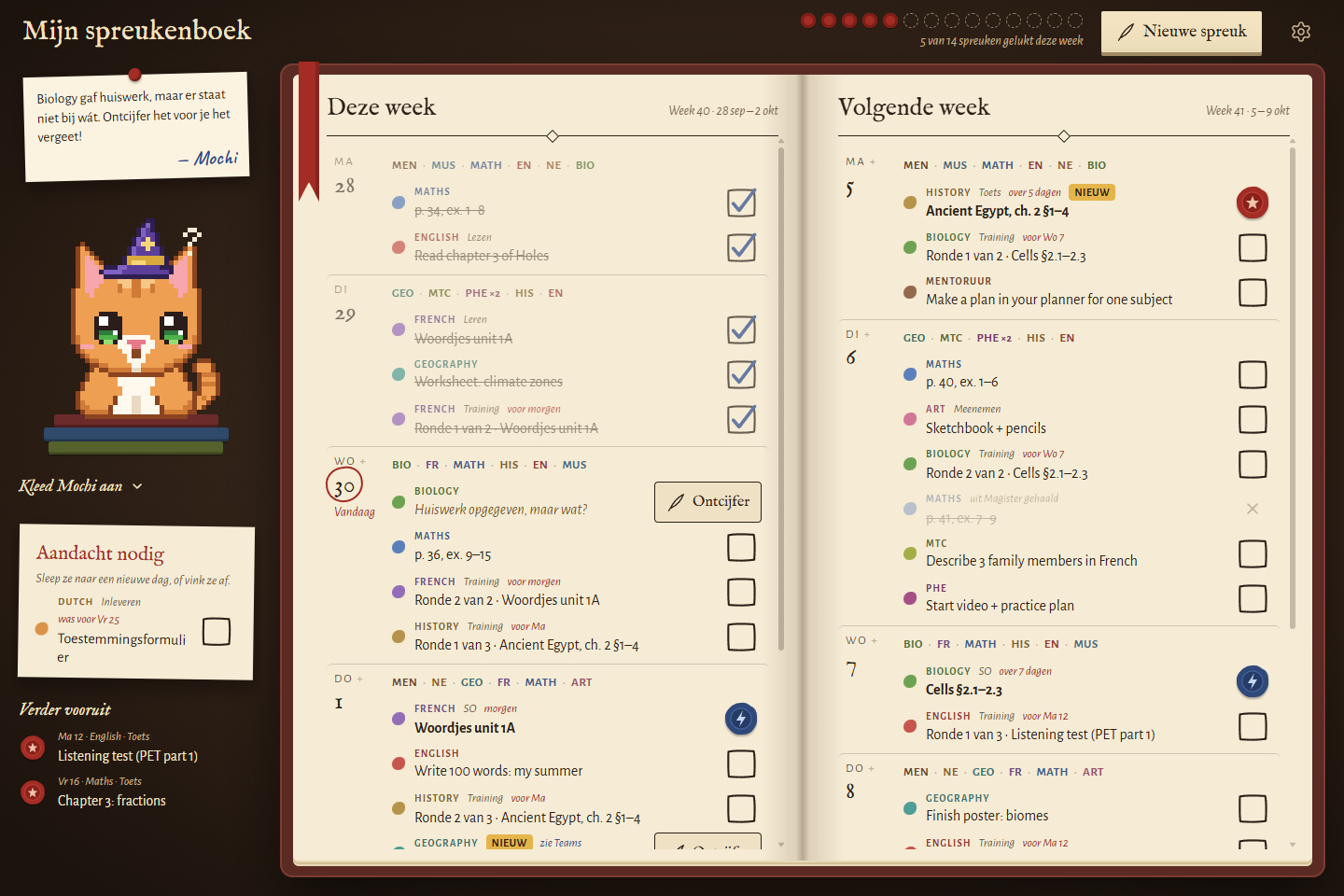
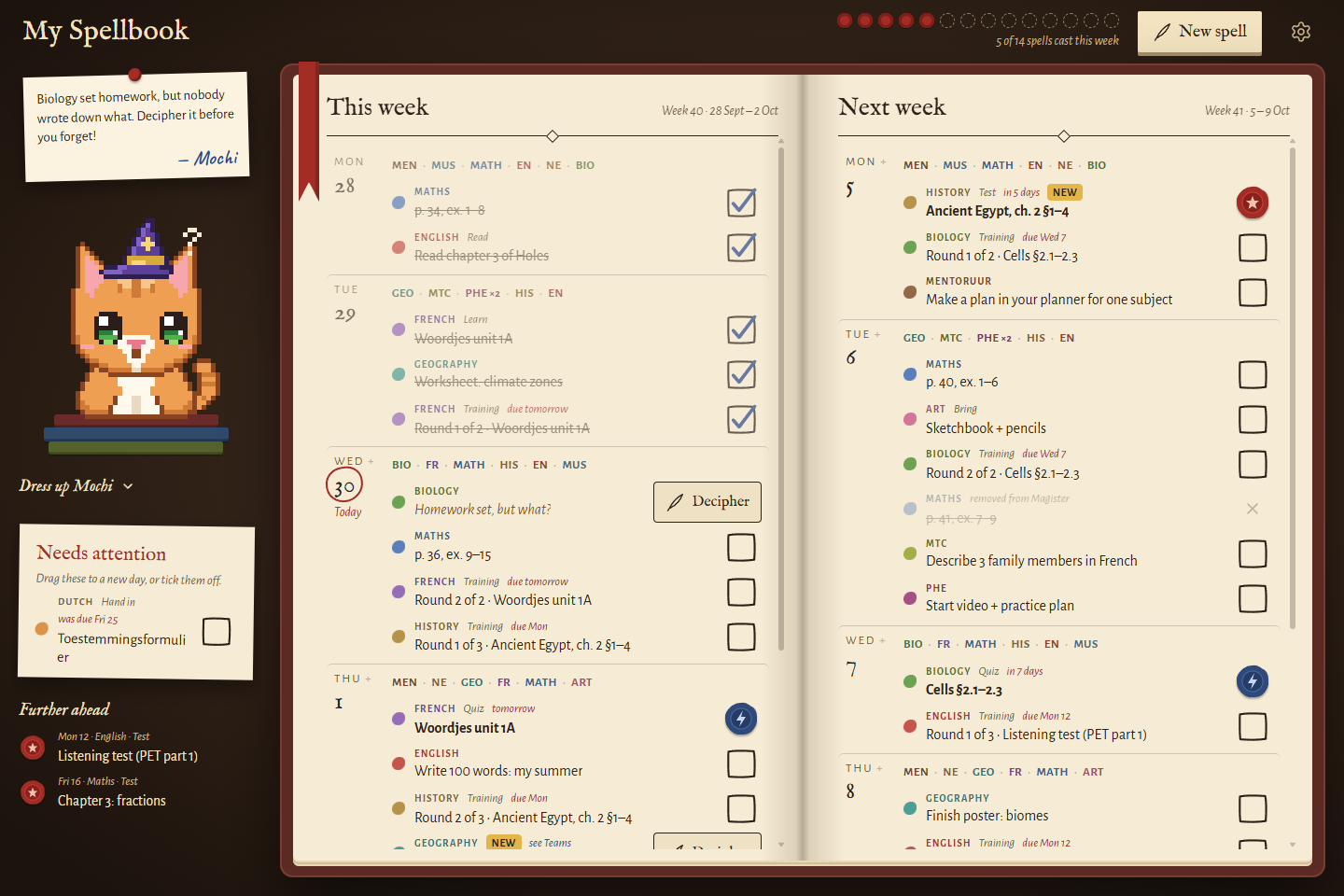
Deze week links, volgende week rechts, met per dag je lessen erboven. Op zaterdag schuift alles vanzelf een week op. This week on the left, next week on the right, with each day's lessons on top. On Saturday everything moves on a week by itself.
-
Haalt je huiswerk uit MagisterGets your homework from Magister
Koppel Magister en je lessen, huiswerk en toetsen komen vanzelf binnen. Learnling leest alleen en verandert nooit iets. Geen Magister? Typ het er zelf in. Connect Magister and your lessons, homework and tests come in by themselves. Learnling only reads and never changes a thing. No Magister? Type it in yourself.
-
Geheim huiswerkMystery homework
Staat er alleen "zie Teams"? Dan wordt het een mysterie: een rol om te ontcijferen, een onbekend zaadje of een fles met een briefje. Schrijf in je eigen woorden op wat je moet doen, dan weet je het straks nog. Does it just say "see Teams"? Then it becomes a mystery: a scroll to decipher, an unknown seed or a message in a bottle. Write down what you need to do in your own words, so you still know later.
-
Oefenrondes voor toetsenTraining rounds for tests
Heb je een toets of een SO? Learnling plant er vanzelf oefenrondes voor, verspreid over de dagen ervoor. Geen stampen op de laatste avond. Got a test or a quiz coming? Learnling plans training rounds in the days before it, all by itself. No cramming the night before.
-
Een seintje na schoolA nudge after school
Om vier uur vertelt je maatje wat er nog op je wacht. Liever een ander tijdstip? Kies het zelf. At four o'clock your buddy tells you what's still waiting. Rather another time? Pick your own.
-
Slepen en afvinkenDrag and tick
Sleep een taak naar een andere dag, ook met je vinger op een touchscreen. Bij elke vink juicht je maatje mee. Drag a task to another day, even with your finger on a touchscreen. Your buddy cheers with every tick.
Kies je thema Pick your theme
Zes thema's, één planner. Elk thema heeft eigen kleuren, eigen woorden en iets op het hoofd van je maatje. Kies er hier een en kijk hoe de hele pagina meeverandert. Six themes, one planner. Each has its own colours, its own words and something for your buddy to wear. Pick one here and watch the whole page change with it.
Kies je maatje Pick your buddy
Een kat, hond, papegaai, walvis of robot. Kies een kleur, een oogkleur en wat je maatje draagt, en geef het een naam. In de app kan dat allemaal ook. A cat, dog, parrot, whale or robot. Pick a colour, an eye colour and what your buddy wears, and give it a name. You can do all of this in the app too.
Zo begin je How to start
-
1
Download Learnling met de knop bovenaan en open het bestand. Download Learnling with the button at the top and open the file.
-
2
Zegt Windows
Windows heeft uw pc beschermd
? Klik op Meer info en dan Toch uitvoeren. Dat komt doordat Learnling nieuw is, niet doordat er iets mis is. Does Windows sayWindows protected your PC
? Click More info, then Run anyway. That's because Learnling is new, not because something is wrong. -
3
Kies je maatje en je thema, koppel Magister of vul je rooster in, en je bent klaar. Zet Starten met Windows aan voor het seintje na school. Pick your buddy and your theme, connect Magister or fill in your timetable, and you're done. Turn on Start with Windows for the nudge after school.
Learnling werkt op Windows-laptops en -pc's, nog niet op Mac of Chromebook. Nieuwe versies installeren zichzelf. Learnling runs on Windows laptops and PCs, not on Mac or Chromebook yet. New versions install themselves.
Voor ouders For parents
- Gratis.Free. Geen account, geen reclame, geen abonnement. No account, no ads, no subscription.
- Alles blijft op de laptop.Everything stays on the laptop. Het huiswerkboek staat op de computer zelf. Er gaat niets naar een server van ons; er is geen server. The homework book lives on the computer itself. Nothing goes to a server of ours; there is no server.
- Magister: alleen lezen.Magister: read only. Inloggen gebeurt op de echte Magister-pagina. Learnling bewaart geen wachtwoord en verandert nooit iets in Magister. Logging in happens on the real Magister page. Learnling stores no password and never changes anything in Magister.
- Open source.Open source. Alle code staat op GitHub, dus iedereen kan zien wat de app doet. All the code is on GitHub, so anyone can see what the app does.